Process automation and data dashboards for small businesses
Stop copying data from one program to another.

What problem it solves
The same work, with fewer steps.
The same order, two ways. By hand, every step waits for someone to do it. Automated, it moves on its own and you only look at what needs a decision.
Example diagram. Every business has its own path.
What we do
What can run on its own.
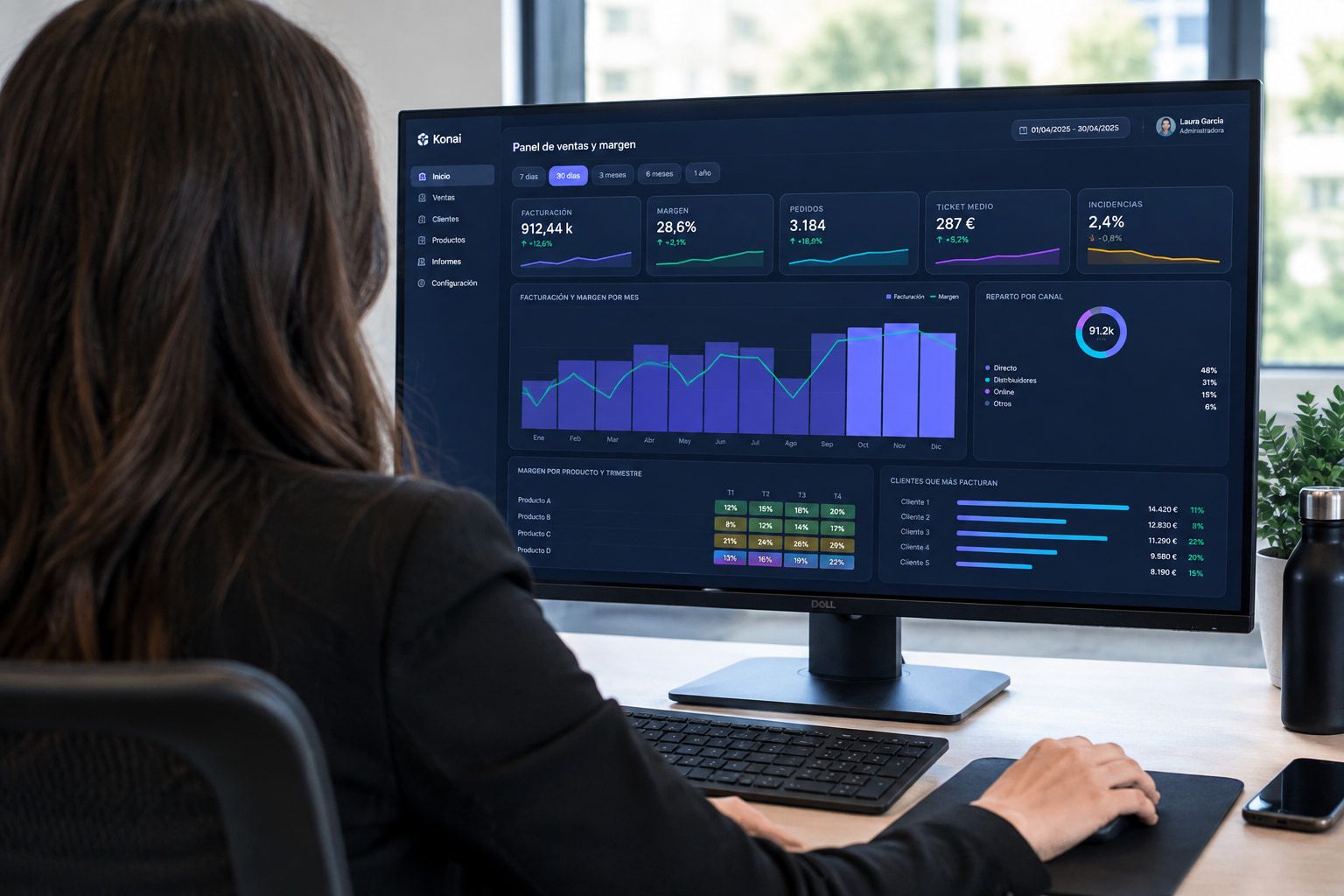
Data and dashboards
We turn your data into dashboards and useful information for decisions, without relying on manual spreadsheets.
- KPIs
- Reports
- Alerts
- Tracking
Orders and delivery notes
They arrive by email and are entered without typing.
Emails
They’re sorted, answered or passed to the right person.
Quotes and reports
They build themselves from the data you already have.
Alerts
You get an alert when something needs attention.
Data entry
Information moves from one program to another without copy and paste.
How it looks in action
The orders inbox, up to date on its own.
Every incoming email is read and handled: the order is logged, the quantity change alerts production and the delivery note updates stock. You only look at what needs a decision.
- Distribuciones ArneloOrder 4413order_4413.pdf
Order logged: 12 items, no typing
- Talleres BriventalQuantity change on order 4412
Order updated and production alerted
- Suministros QuintabeDelivery notedelivery_note_0921.pdf
Receipt logged and stock updated
- Workshop (internal)Shift work reports
Production report sent to management
Data and dashboards
Your data, in a dashboard that makes sense.
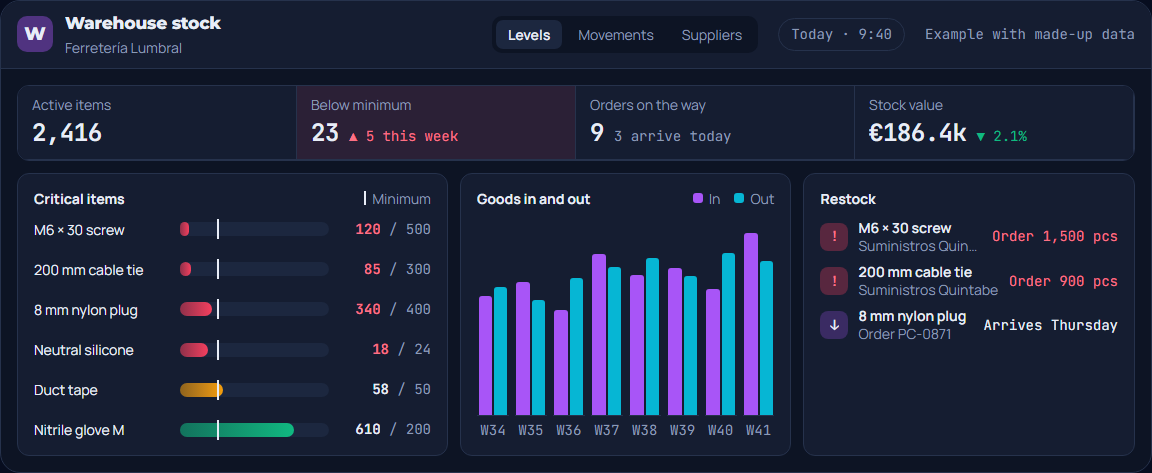
The sheets you already have become a dashboard with what matters in view. Drag the line: the stock control sheet turns into a dashboard that flags what needs ordering.
- Active items2,416
- Below minimum23▲ 5 this week
- Orders on the way93 arrive today
- Stock value€186.4k▼ 2.1%
- M6 × 30 screw120 / 500Below minimum
- 200 mm cable tie85 / 300Below minimum
- 8 mm nylon plug340 / 400Below minimum, order on the way
- Neutral silicone18 / 24Below minimum, order on the way
- Duct tape58 / 50Tight
- Nitrile glove M610 / 200OK
Units per week, from W34 to W41. In: 1700, 1900, 1500, 2300, 2000, 2100, 1800, 2600. Out: 1820, 1640, 1950, 2110, 2240, 1980, 2310, 2190.
- M6 × 30 screwSuministros QuintabeOrder 1,500 pcs
- 200 mm cable tieSuministros QuintabeOrder 900 pcs
- 8 mm nylon plugOrder PC-0871Arrives Thursday
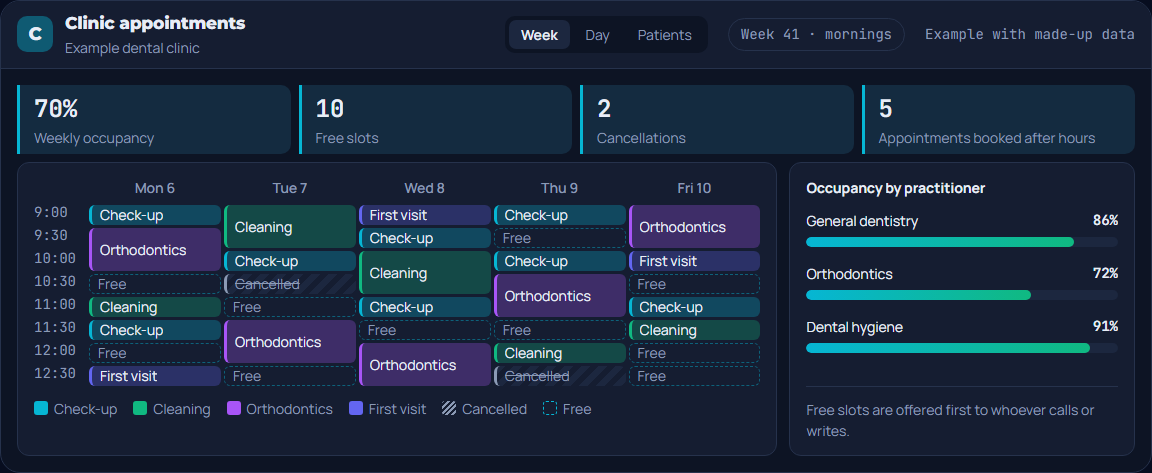
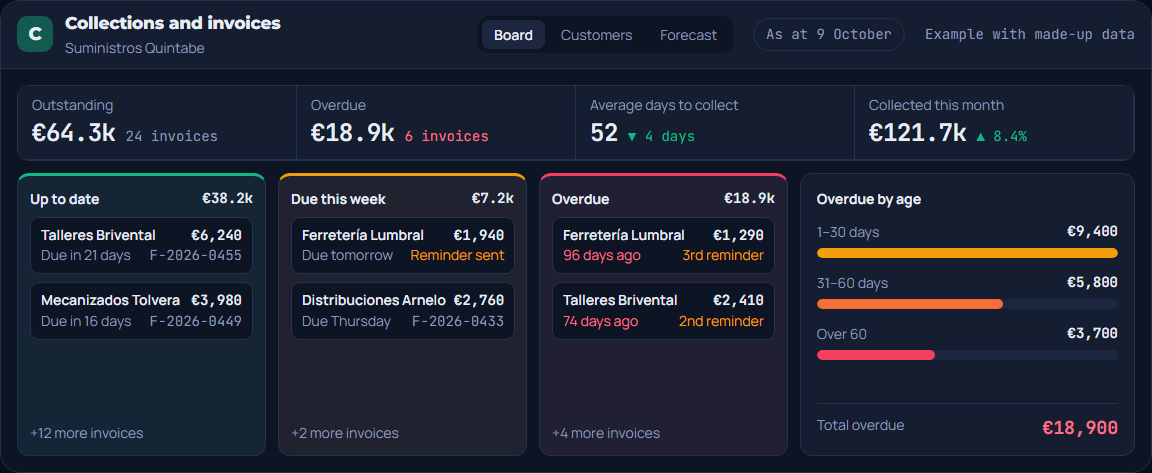
Dashboard gallery
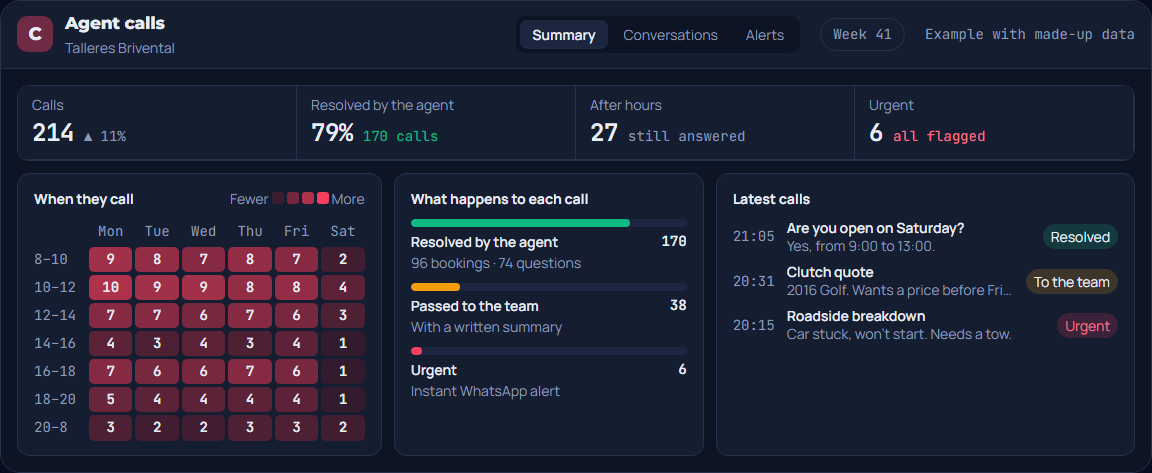
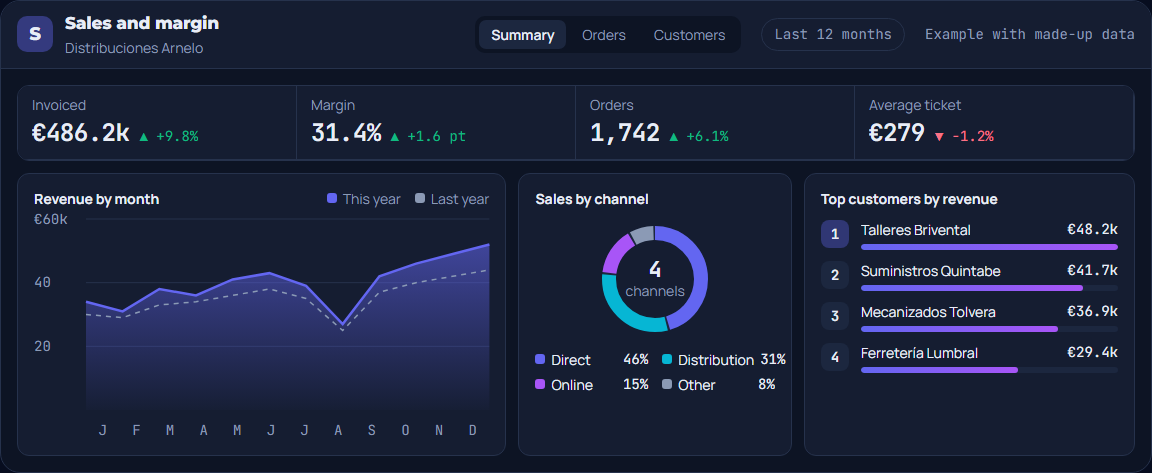
Sales, production, appointments, collections, stock and calls: six example dashboards, each with its own way of working.
See the six dashboards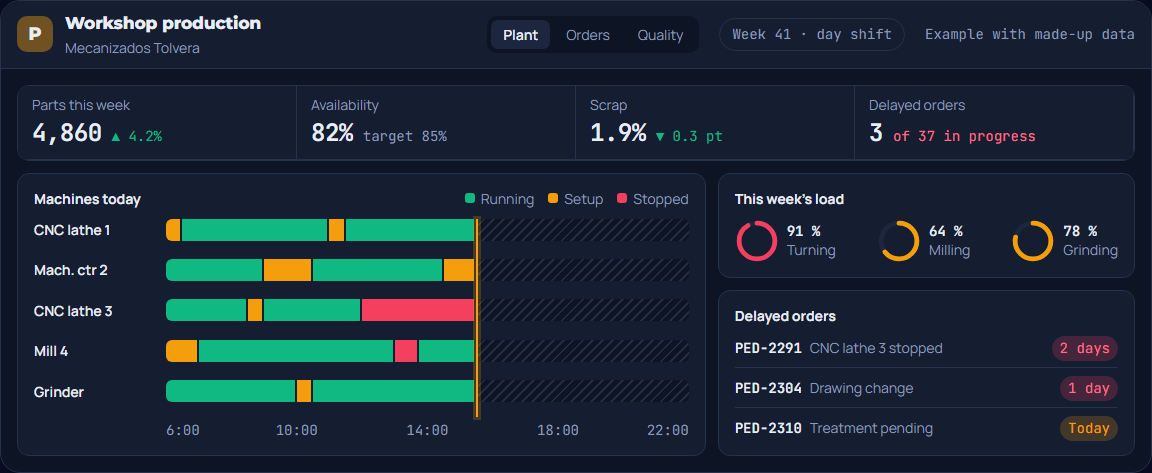
How to hire us
Fixed price before we start.
A first 20-minute meeting
You tell us your case. With that we size the project.
Fixed price
We give you a fixed price: you know what it costs before we start.
Built to measure
The call or chat agent adapted to your business, the dashboard with the data and layout you need, or the automation of the process you want off your plate.
Up and running, with maintenance
Once it’s running, we stay by your side: maintenance, service monitoring and the option of future changes.
Questions
Frequently asked questions
Can it connect to my ERP?
It depends on the ERP and whether it allows external connections. We look into it before making you a proposal and tell you clearly whether it’s possible and how.
What if the automation fails?
We have monitoring that alerts us to any issue without you having to keep an eye on it, and we respond within 24 calendar hours at most.
Do I have to change software?
In most cases, no. We adapt to the software and infrastructure you already use.
Shall we talk about your case?
A first 20-minute meeting, with no commitment, to look at your case and decide where to start.